意匠引
AI 图片 · 视频提示词智能助手

意匠引iPromptGo

意匠生辉 · 引你前行 · Guide Your Creativity

精选专业分类的 提示词库,覆盖 8 大图片分类8 大视频分类, 一键组合 中英双语 提示词并复制即用,助力 Stable DiffusionMidjourney即梦可灵Sora 等主流 AI 创作工具,让灵感即刻落地。

8
图片分类
8
视频分类
中 / EN
双语输出
15 次
每日免费复制
3 步
快速上手
了解功能
功能亮点 · FEATURES

匠心打磨的功能

从生成、复制到收藏管理,一站式覆盖 AI 提示词创作全流程

🖼

图片提示词生成

精选图片提示词库,覆盖主体、风格、环境氛围、灯光、色彩、镜头构图、细节参数、参考艺术家 8 大分类,点选标签即组合。

中英一键8 大分类复制即用
🎬

视频提示词生成

视频提示词库,覆盖主体、风格、镜头运动、转场、节奏、灯光、调色、技术参数等分类,专为 AI 视频创作工具设计。

镜头运镜节奏转场技术参数

正面 / 负面提示词

既可生成描述想要内容的「正面提示词」,也可生成排除不想要内容的「负面提示词」,并输出中 / 英双语版本。

正面负面双语
📋

次数管理与复制

每日 15 次免费复制,同一组关键词的中英文只计一次;次数用完后看广告可获取额外次数,每天 0 点自动重置。

每日重置+1/+3/+5/+10
📚

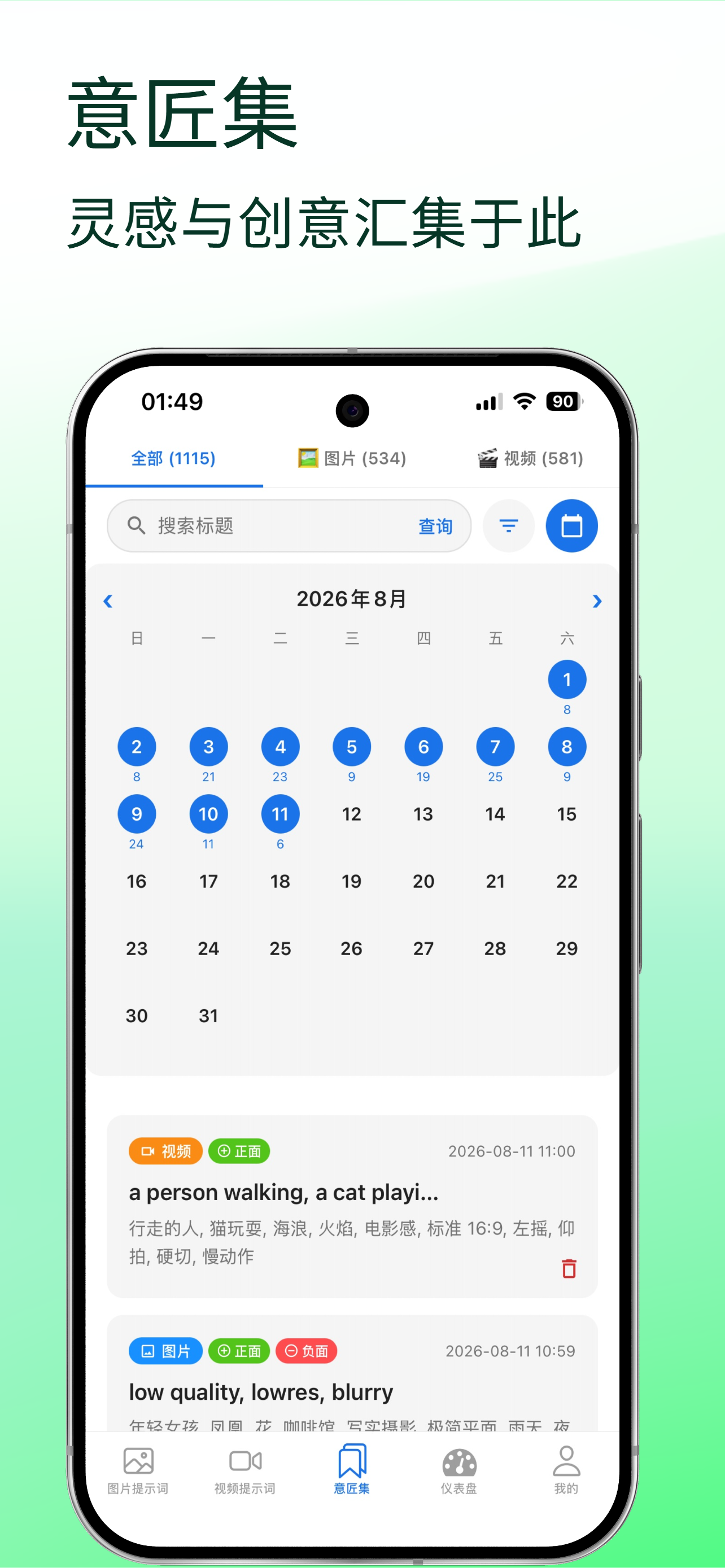
意匠集 · 收藏

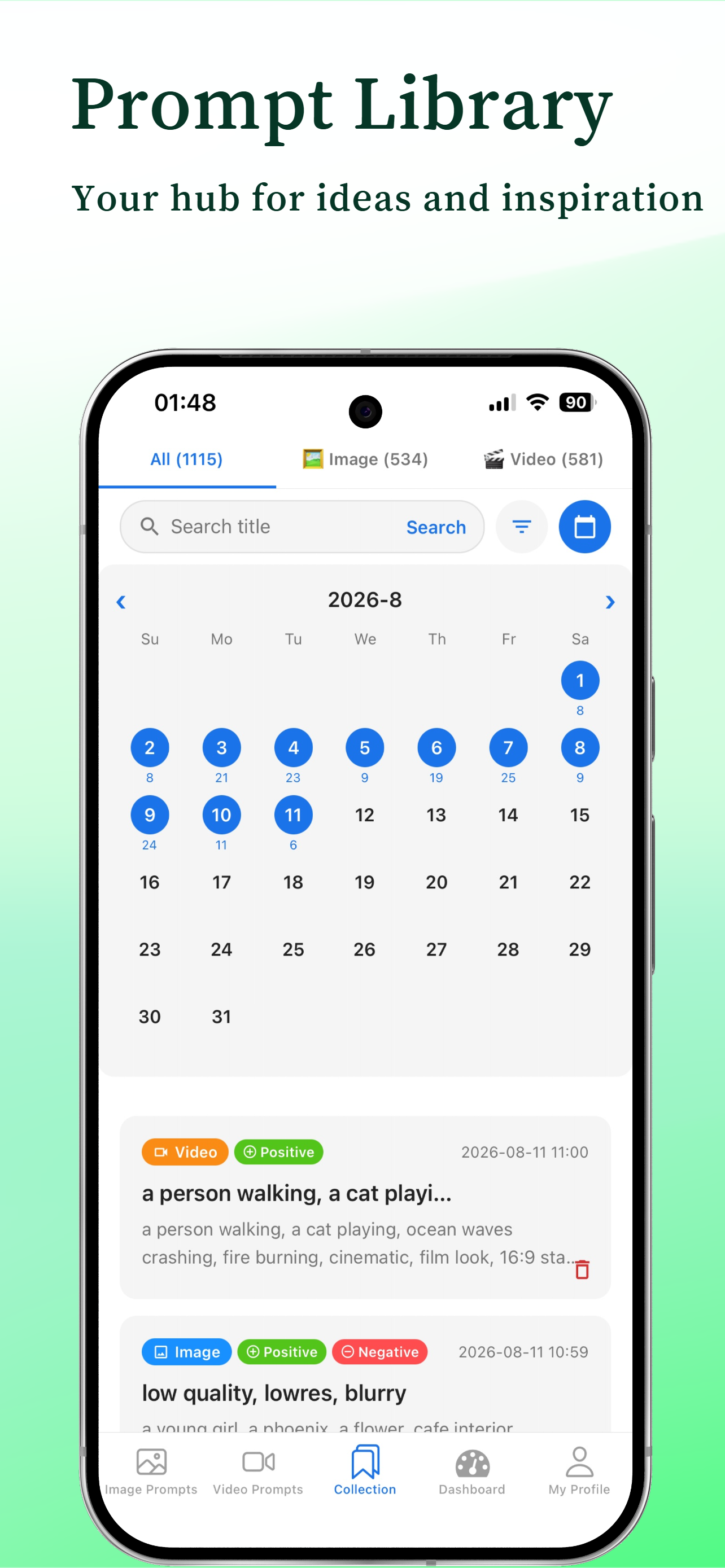
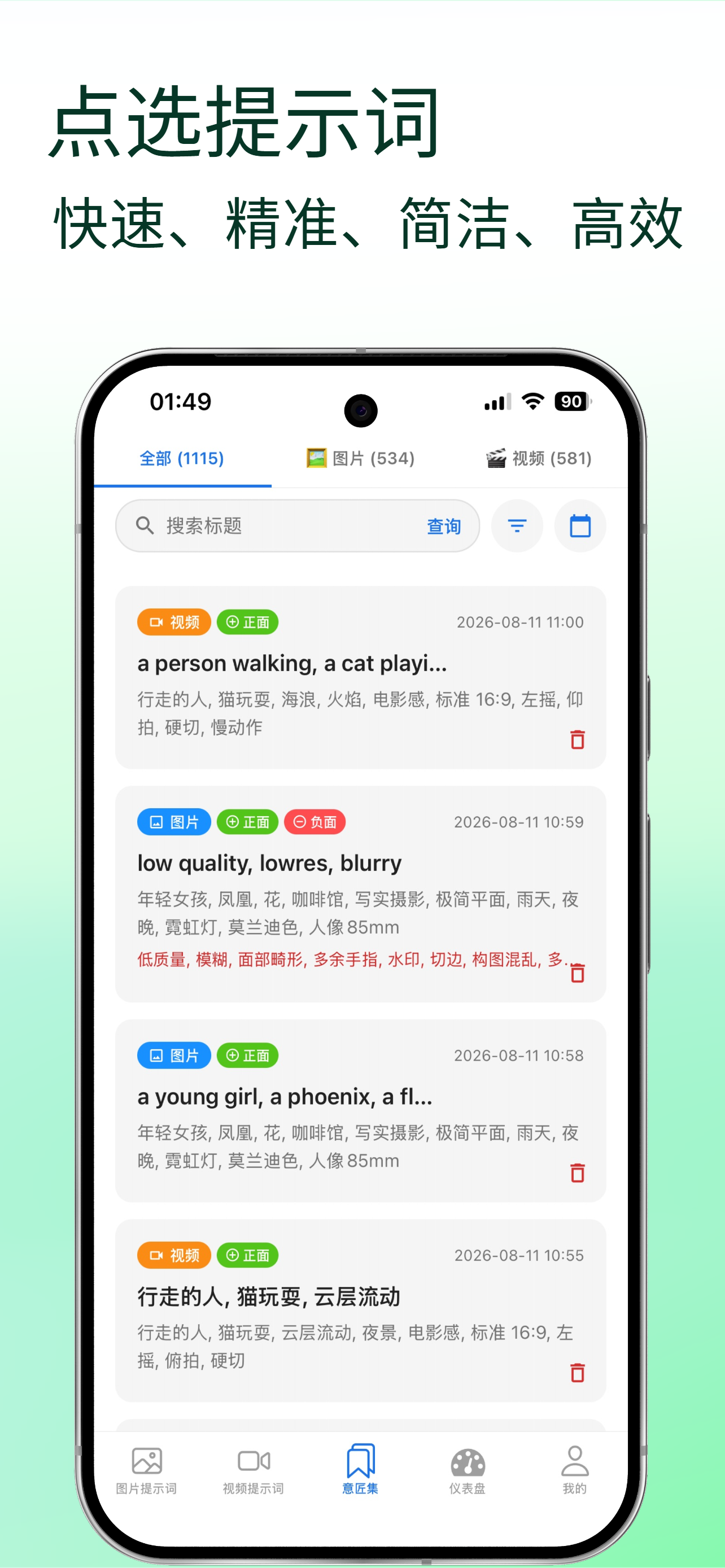
一键保存生成提示词,自动生成标题并同时保存中英双版本,可随时重新载入编辑、更新或删除,灵感永不丢失。

自动标题重新载入分类筛选
📊

仪表盘 · 数据统计

总览全部 / 图片 / 视频提示词数量,按日 / 周 / 月查看保存趋势柱状图,贡献日历展示每日活跃度,最近活动一目了然。

趋势图贡献日历最近活动

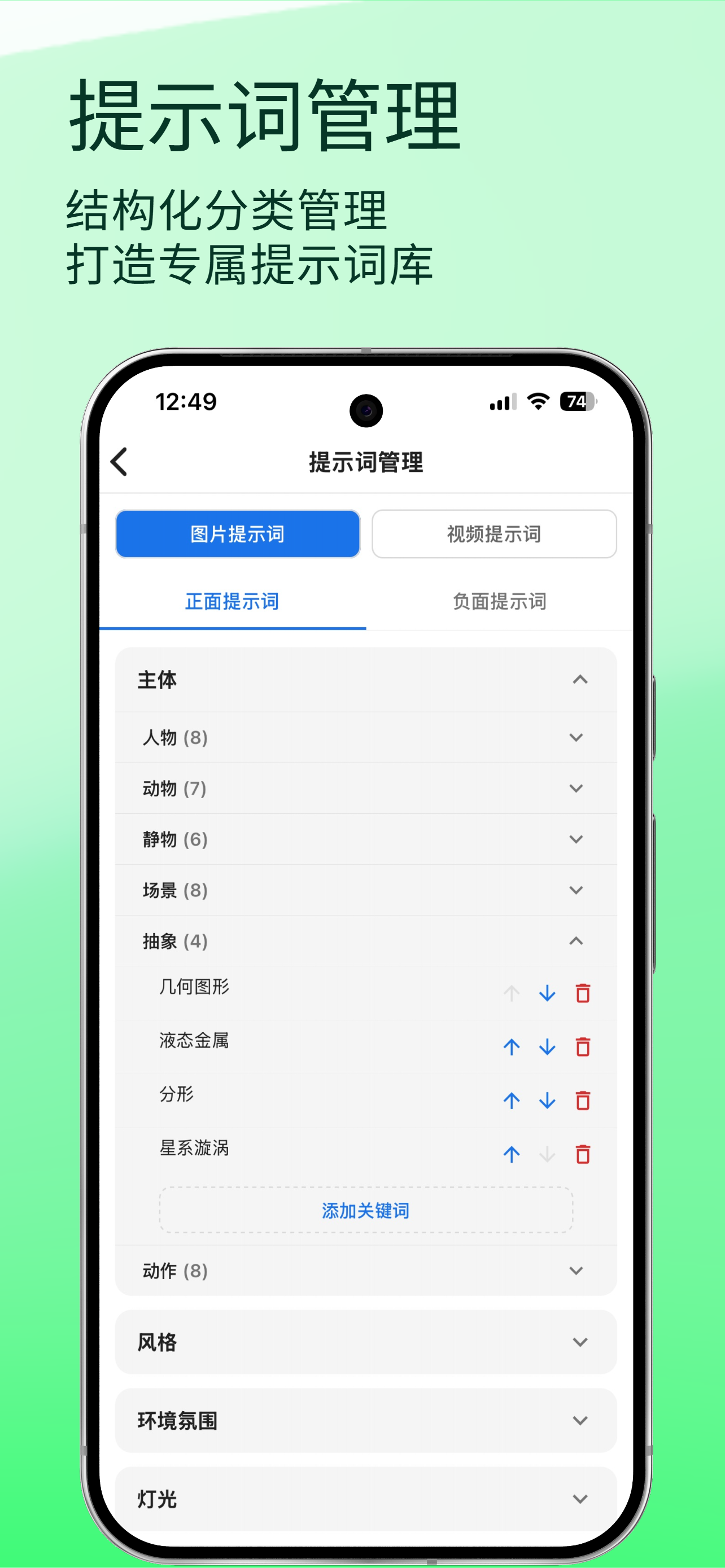
自定义关键词

在任意子分类下添加自己的中英文关键词,与系统词一起参与提示词生成,打造专属词库。

中英双语专属词库

提示词管理

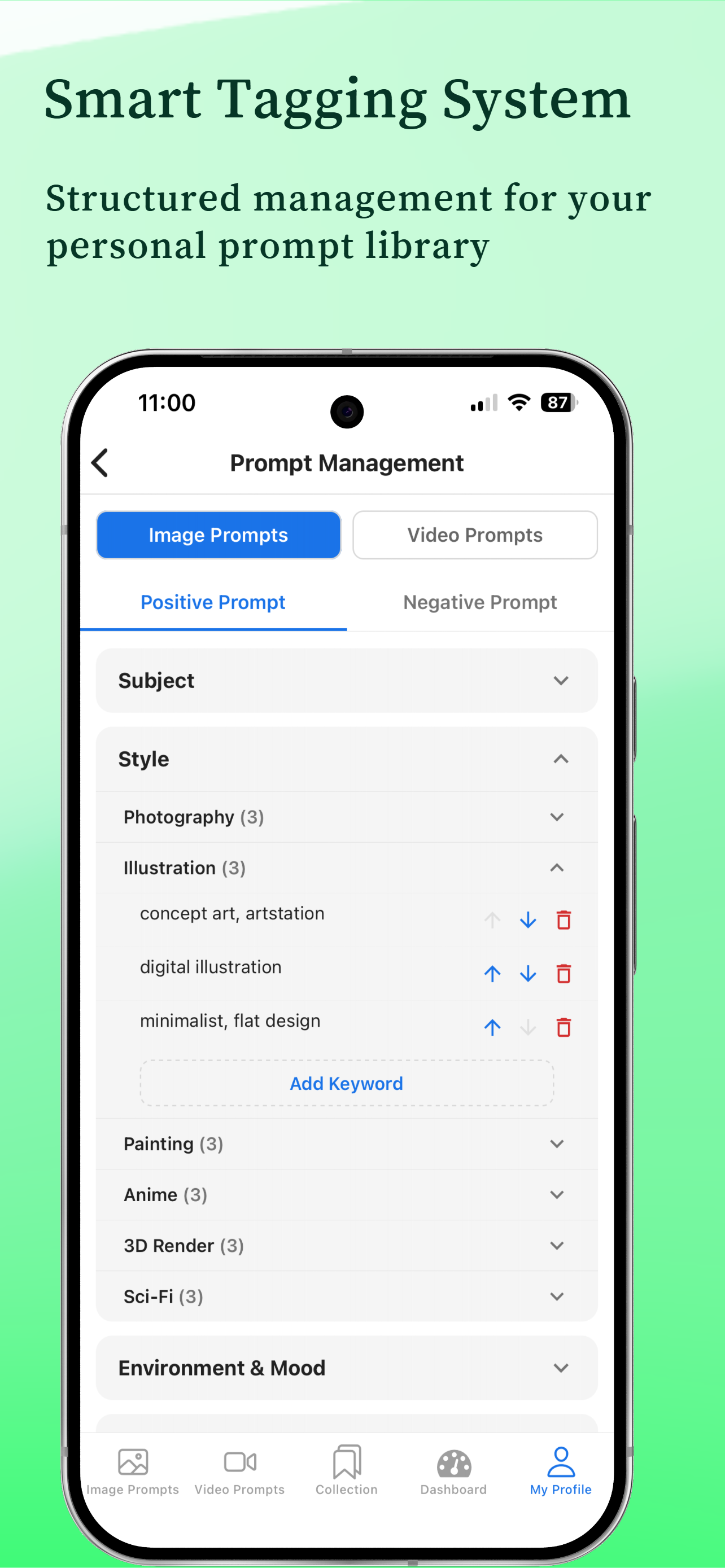
统一查看、编辑、排序、删除全部关键词;系统预置关键词可隐藏或恢复,自定义词仅在其所属类型下生效。

排序隐藏 / 恢复

个性化设置

中 / 英文语言切换,跟随系统 / 浅色 / 深色主题,大分类说明开关;编辑昵称邮箱、更换头像、提交意见反馈。

双语深色模式意见反馈
提示词库 · PROMPT LIBRARY

精选提示词库

专业分类、海量词条,覆盖主流 AI 图片与视频创作场景

一 · 图片提示词 8 大分类
👤

主体

人物 / 动物 / 场景主体

🎨

风格

写实 / 动漫 / 油画 / 赛博

🌆

环境氛围

白天 / 夜晚 / 季节 / 天气

💡

灯光

自然光 / 霓虹 / 逆光 / 影棚

🎨

色彩

色调 / 饱和度 / 色彩风格

📷

镜头构图

景别 / 角度 / 景深 / 构图

⚙️

细节参数

画质 / 分辨率 / 细节控制

🎨

参考艺术家

大师风格参考与借鉴

二 · 视频提示词 8 大分类
👤

主体

角色 / 物件 / 场景主体

🎨

风格

电影感 / 动漫 / 纪录片

🎥

镜头运动

推拉 / 摇移 / 跟拍 / 航拍

🎞️

转场

淡入淡出 / 划像 / 匹配剪辑

⏱️

节奏

快节奏 / 慢节奏 / 悬念

💡

灯光

环境光 / 主光 / 特效光

🎨

调色

电影调色 / 高对比 / 莫兰迪

⚙️

技术参数

帧率 / 时长 / 分辨率

快速上手 · QUICK START

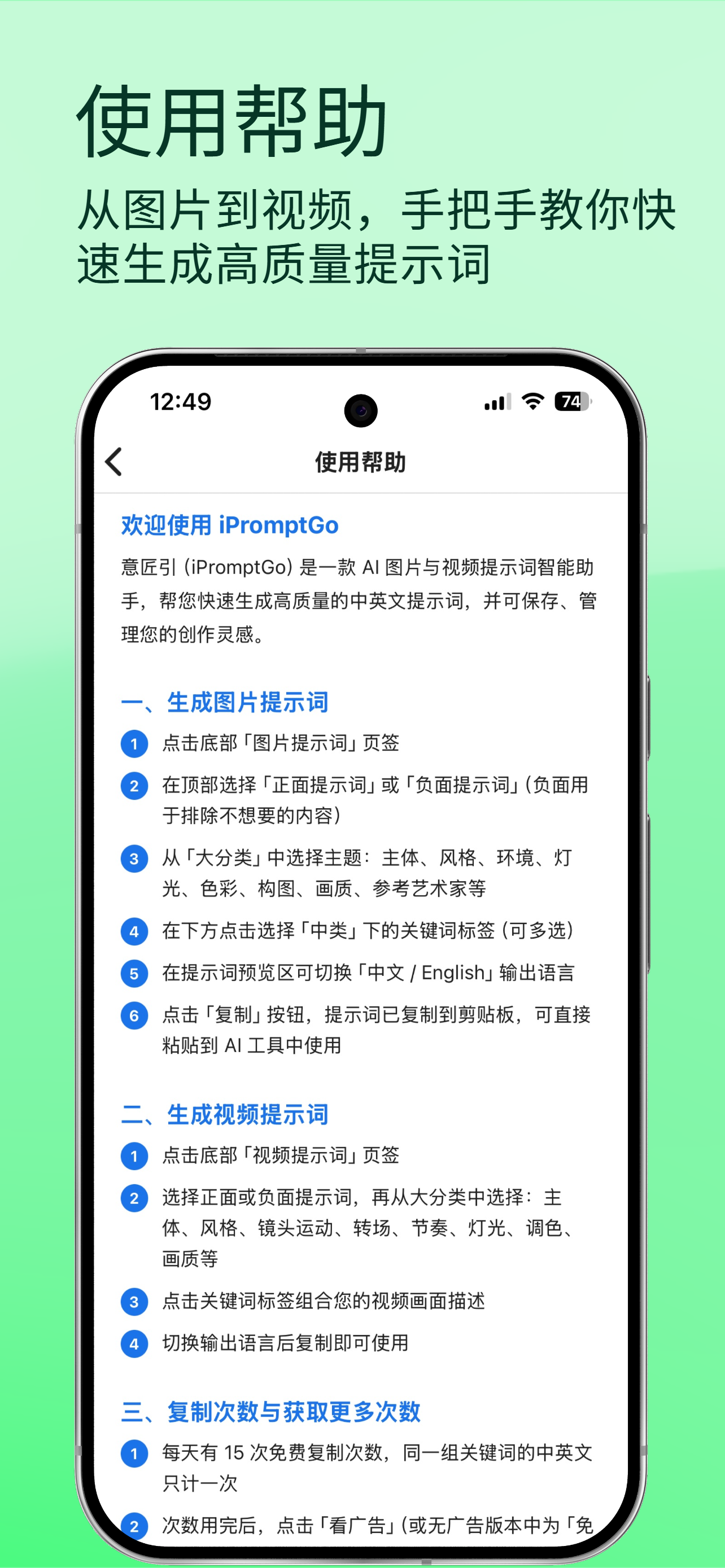
简单三步,快速上手

无需学习成本,打开即用

选择大分类

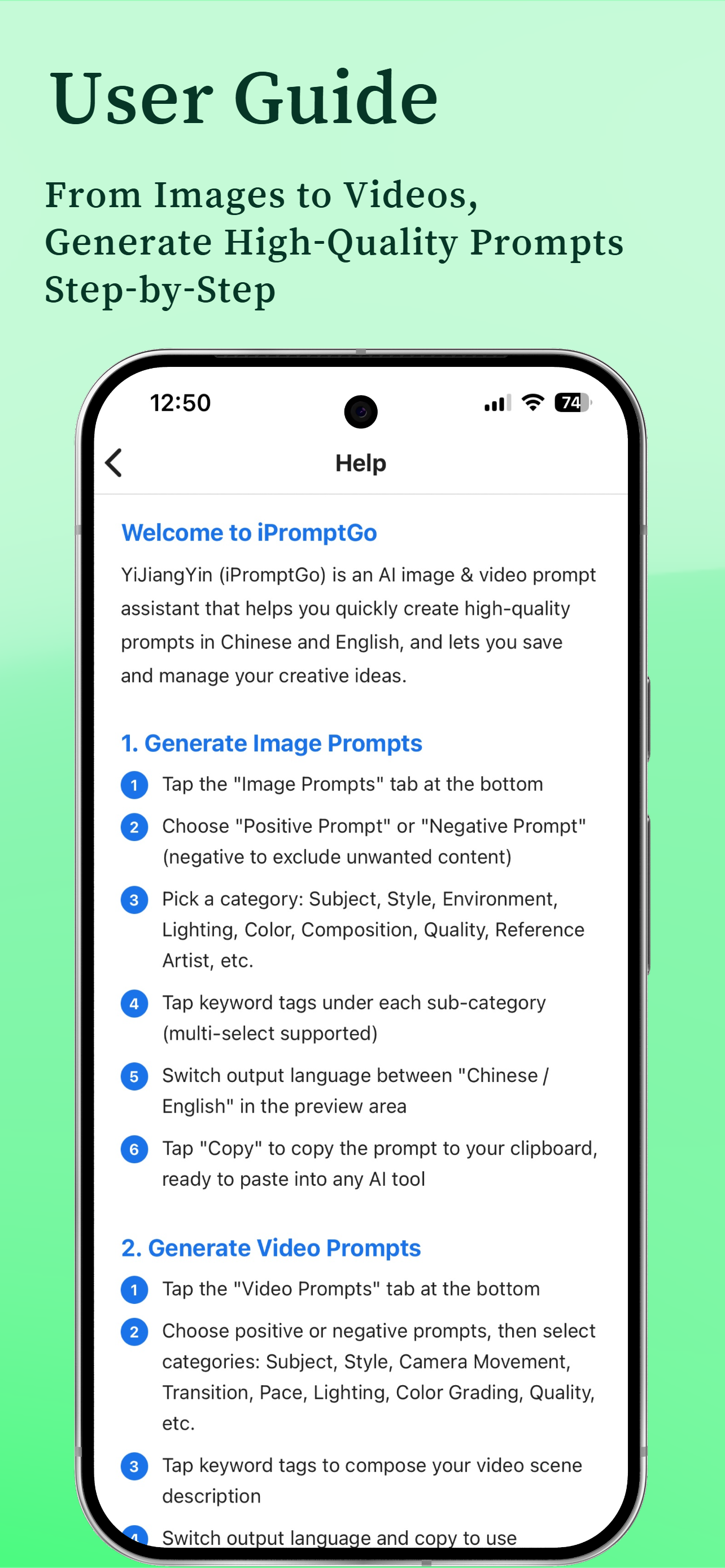
从图片或视频的 8 大分类中,点选「正面」或「负面」提示词标签组合你的创作意图。

点选关键词

在中类下勾选风格、灯光、镜头等关键词标签,实时组合成完整提示词。

切换语言 · 复制即用

一键切换中文 / English,点击复制即可粘贴到 AI 创作工具,还可收藏保存。

兼容工具 · COMPATIBLE

兼容主流 AI 创作工具

生成的提示词可直接用于国内外主流 AI 绘图与视频生成平台
Stable Diffusion
Midjourney
即梦 Jimeng
可灵 Kling
Sora
ComfyUI
Flux
更多 AI 工具
意匠集
仪表盘
提示词管理
设置
创作管理 · MANAGE

创作管理,越用越顺手

收藏、统计、管理三位一体,让每一次灵感都有迹可循。

  • 意匠集:一键保存,自动生成标题,支持重新载入编辑、更新与删除。
  • 仪表盘:总数据、日 / 周 / 月保存趋势、贡献日历与最近活动。
  • 提示词管理:自定义与系统关键词统一管理,支持排序、隐藏、恢复。
  • 自定义关键词:随时添加专属词库,图片 / 视频类型严格区分。
  • 个性化:双语切换、深色模式、大分类说明,体验随心所欲。
  • 去广告:一次性内购永久去除横幅、开屏、激励广告,支持恢复购买。

现在就开始,生成你的第一段提示词

意匠生辉,引你前行 —— iPromptGo,让 AI 创作更高效、更专业。

iPromptGo
AI Prompt Assistant for Image & Video

iPromptGo意匠引

Guide Your Creativity · 意匠生辉,引你前行

A curated prompt library covering 8 image categories and 8 video categories. Combine bilingual (Chinese & English) prompts with one tap and copy instantly for Stable Diffusion, Midjourney, Jimeng, Kling, Sora and other popular AI creation tools.

8
Image Categories
8
Video Categories
CN / EN
Bilingual
15
Free Copies / Day
3
Quick Steps
Learn More
FEATURES

Features Crafted with Care

From generation and copy to collection and management — the full AI prompt workflow

🖼

Image Prompt Generation

A curated image prompt library covering 8 categories — Subject, Style, Environment, Lighting, Color, Composition, Quality & Artist Reference. Tap tags to combine.

Bilingual8 CategoriesCopy & Use
🎬

Video Prompt Generation

A video prompt library covering subject, style, camera movement, transitions, pace, lighting, color grading and technical specs, designed for AI video tools.

Camera MovesTransitionsSpecs

Positive / Negative Prompts

Generate positive prompts describing what you want and negative prompts to exclude what you don't, in both Chinese and English.

PositiveNegativeBilingual
📋

Copy Count & Management

15 free copies per day; the Chinese and English versions of the same keyword set count once. Watch ads for extra copies, reset at midnight.

Daily Reset+1/+3/+5/+10
📚

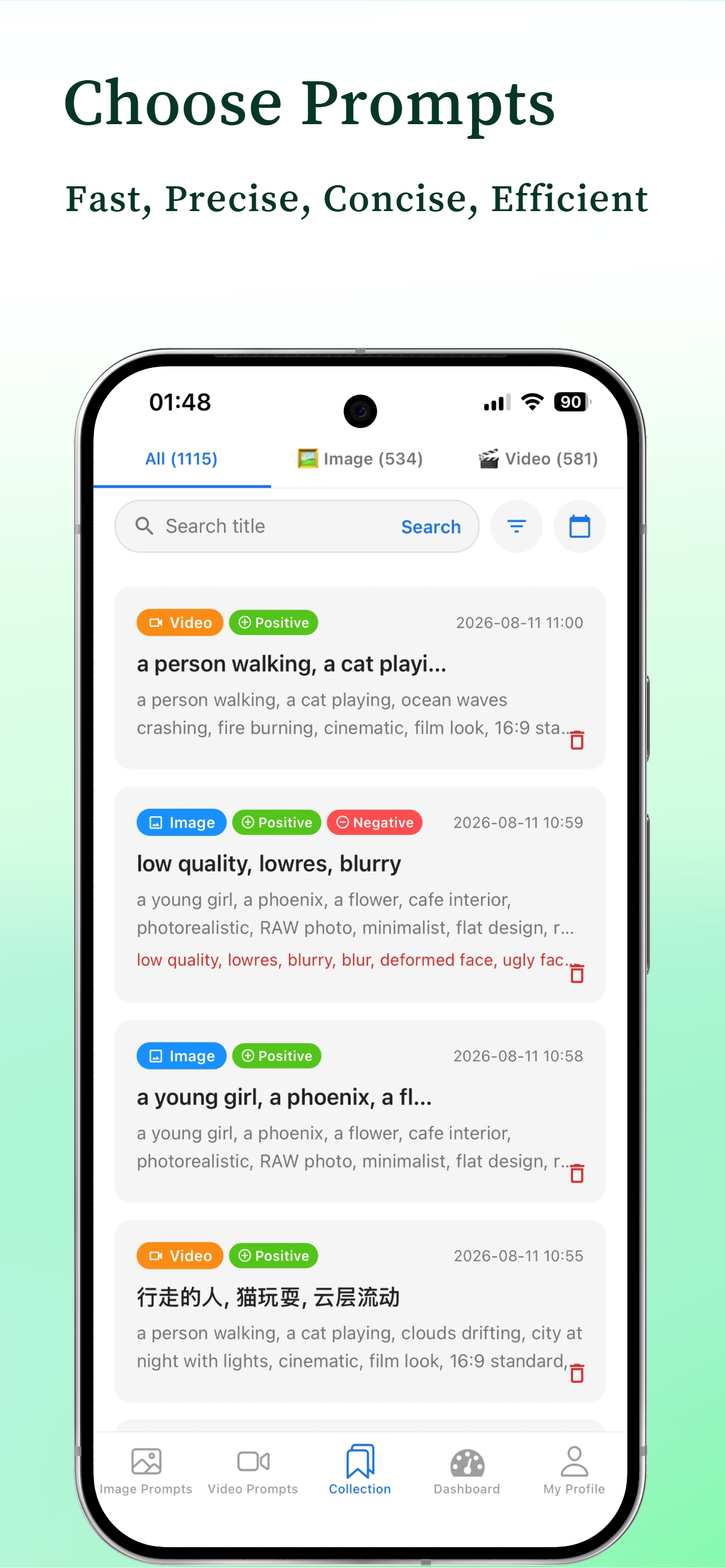
Collection

Save prompts with one tap — auto-generated titles, bilingual versions saved together, and reload to edit, update or delete anytime.

Auto TitleReload & EditFilter
📊

Dashboard & Statistics

Overview of all / image / video prompt counts, daily / weekly / monthly save trend charts, a contribution calendar and recent activity.

TrendsCalendarActivity

Custom Keywords

Add your own bilingual keywords under any subcategory to join system words in prompt generation — build your personal vocabulary.

BilingualPersonal Library

Prompt Management

View, edit, reorder and delete all keywords; hide or restore built-in keywords, while custom ones apply only within their own type.

ReorderHide / Restore

Personalization

Switch between Chinese / English, follow-system / light / dark themes, category guides; edit profile, change avatar and submit feedback.

BilingualDark ModeFeedback
PROMPT LIBRARY

Curated Prompt Library

Professional categories with extensive entries for mainstream AI image and video creation

I · Image Prompts — 8 Categories
👤

Subject

People / Animals / Scenes

🎨

Style

Realistic / Anime / Oil / Cyber

🌆

Environment

Day / Night / Season / Weather

💡

Lighting

Natural / Neon / Backlight / Studio

🎨

Color

Tone / Saturation / Palette

📷

Composition

Shot / Angle / Depth / Frame

⚙️

Quality & Details

Quality / Resolution / Detail

🎨

Artist Reference

Master styles & influences

II · Video Prompts — 8 Categories
👤

Subject

Character / Object / Scene

🎨

Style

Cinematic / Anime / Documentary

🎥

Camera Movement

Dolly / Pan / Follow / Aerial

🎞️

Transitions

Fade / Wipe / Match Cut

⏱️

Pace

Fast / Slow / Suspense

💡

Lighting

Ambient / Key / Effects

🎨

Color Grading

Cinematic / High Contrast / Morandi

⚙️

Technical Specs

FPS / Duration / Resolution

QUICK START

Three Simple Steps

No learning curve — ready to use right away

1

Pick a Category

From 8 image or video categories, tap positive or negative prompt tags to express your creative intent.

2

Tap Keywords

Select style, lighting, camera and other keyword tags under each subcategory to compose a complete prompt in real time.

3

Switch Language & Copy

Toggle between Chinese and English with one tap, copy into your AI tool, and save to your collection.

COMPATIBLE

Works with Mainstream AI Tools

Generated prompts work directly with popular AI image and video platforms worldwide

Stable Diffusion
Midjourney
Jimeng
Kling
Sora
ComfyUI
Flux
And More
Collection
Dashboard
Prompt Management
Settings
MANAGE

Create, Collect & Manage

Collection, statistics and management in one place — every idea leaves a trace.

  • Collection: save in one tap with auto-generated titles; reload, update or delete anytime.
  • Dashboard: totals, daily / weekly / monthly trends, contribution calendar and recent activity.
  • Prompt Management: manage custom and system keywords — reorder, hide and restore.
  • Custom Keywords: build your own library anytime; image / video types strictly separated.
  • Personalization: bilingual switching, dark mode and category guides for a better experience.
  • Remove Ads: one-time purchase permanently removes banner, app-open and rewarded ads, with purchase restoration.

Start Now — Generate Your First Prompt

Guide Your Creativity — iPromptGo makes AI creation faster and more professional.